
The transition from a traditional office to a home-based workspace has redefined the modern professional landscape. No longer confined to cubicles, workers now have the autonomy to curate environments that foster productivity, creativity, and physical well-being. However, a “one size fits all” approach rarely works for home offices. The ideal setup depends heavily on your job requirements, the available square footage, and your personal design aesthetic.
Investing in a dedicated workspace is more than just an interior design project; it is an investment in your mental health and professional longevity. A well-thought-out setup can reduce physical strain, minimize distractions, and create a clear psychological boundary between “home life” and “work life.” Below are ten diverse home office setups designed to elevate your remote work experience.
1. Minimalist Zen
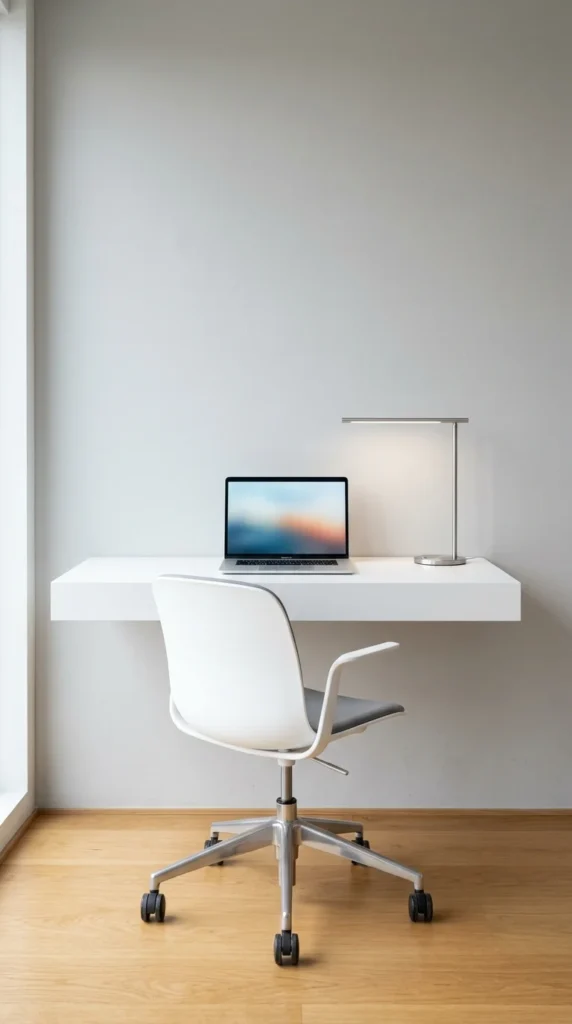
The Minimalist Zen setup is built on the philosophy that a clear space leads to a clear mind. By removing visual noise, you allow your brain to focus entirely on the task at hand. This setup is particularly effective for those who feel overwhelmed by clutter or work in high-stress roles where simplicity acts as a calming influence.
Key Components:
- Monochromatic Palette: Use whites, grays, and light wood tones to create a cohesive, low-stimulation environment.
- Hidden Cable Management: Utilize under-desk trays and cable sleeves to ensure no wires are visible.
- Essential Tools Only: If you don’t use an item daily, it shouldn’t be on your desk.
This setup often utilizes a “floating” desk to maximize floor space, making the room feel larger and airier. It encourages a “clean desk” policy at the end of every day, ensuring you start each morning with a literal and figurative blank slate.
2. Standing Hybrid
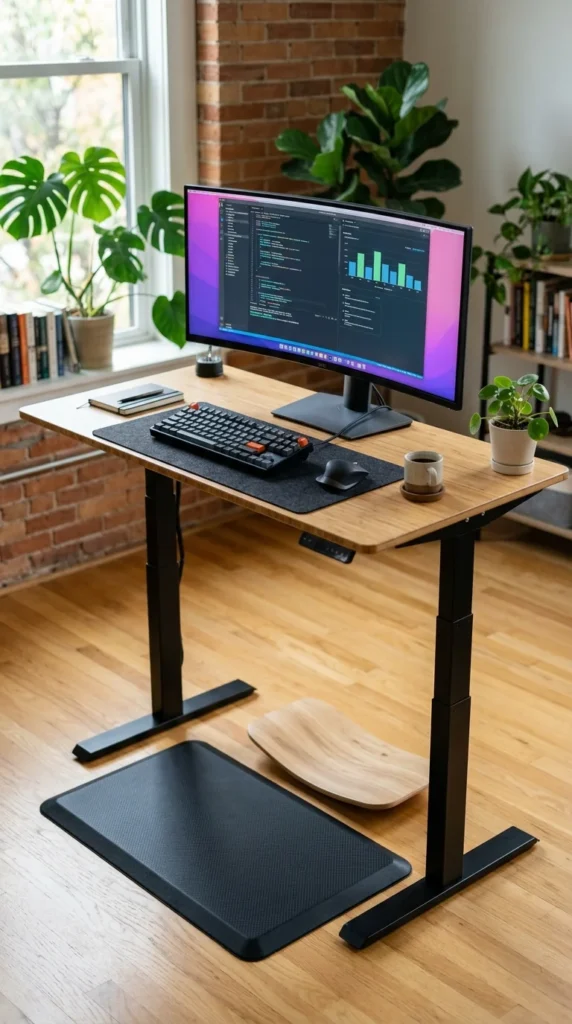
The Standing Hybrid setup addresses the biggest health risk of remote work: sedentary behavior. Chronic sitting has been linked to various health issues, including back pain and decreased metabolic health. A height-adjustable (sit-stand) desk allows you to alternate your posture throughout the day, keeping your energy levels high and your muscles engaged.
Why It Works:
- Circulation Boost: Standing for short bursts improves blood flow and can prevent the mid-afternoon “slump.”
- Customizable Height: Motorized desks allow you to find the perfect ergonomic height for both sitting and standing, down to the millimeter.
- Active Accessories: Incorporating an anti-fatigue mat or a balance board keeps your core engaged while you attend virtual meetings.
To make the most of this setup, aim for a 50/50 split between sitting and standing, or transition every 30 to 60 minutes.
3. Biophilic Retreat
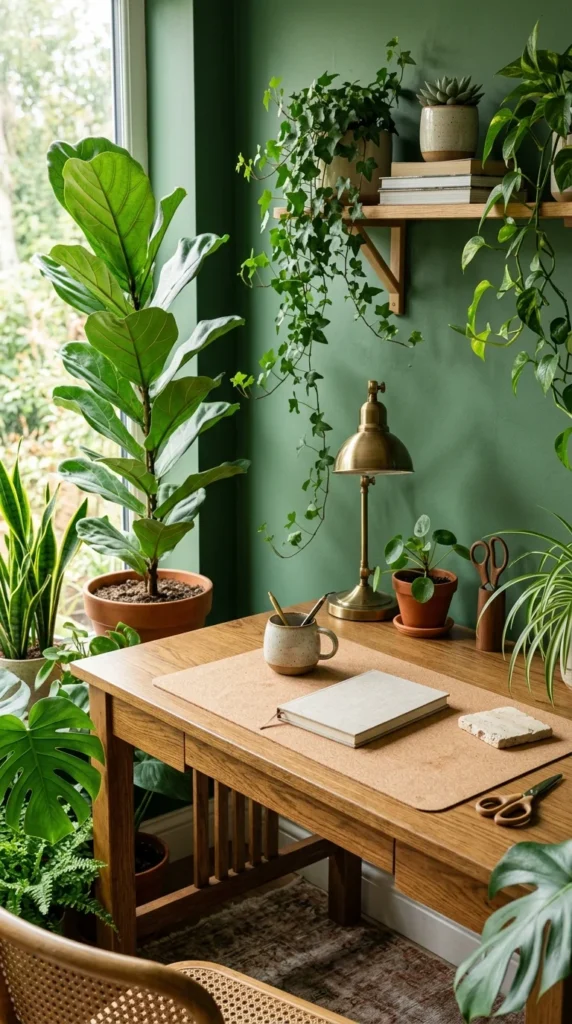
Biophilic design focuses on our innate attraction to nature. This setup incorporates natural elements—light, vegetation, and organic materials—to reduce stress and increase creativity. Studies have shown that the presence of greenery can improve productivity by up to 15% and significantly boost mood.
Designing with Nature:
- Plant Variety: Use a mix of floor plants, desk succulents, and trailing vines to create a lush, “jungle” feel.
- Natural Textures: Opt for materials like bamboo, jute, linen, and raw wood.
- Maximized Sunlight: Position your desk near a window to benefit from natural circadian rhythms, which help regulate sleep and focus.
The Biophilic Retreat is perfect for creative professionals who need an inspiring, life-affirming space to generate new ideas.
4. Dual-Monitor Powerhouse
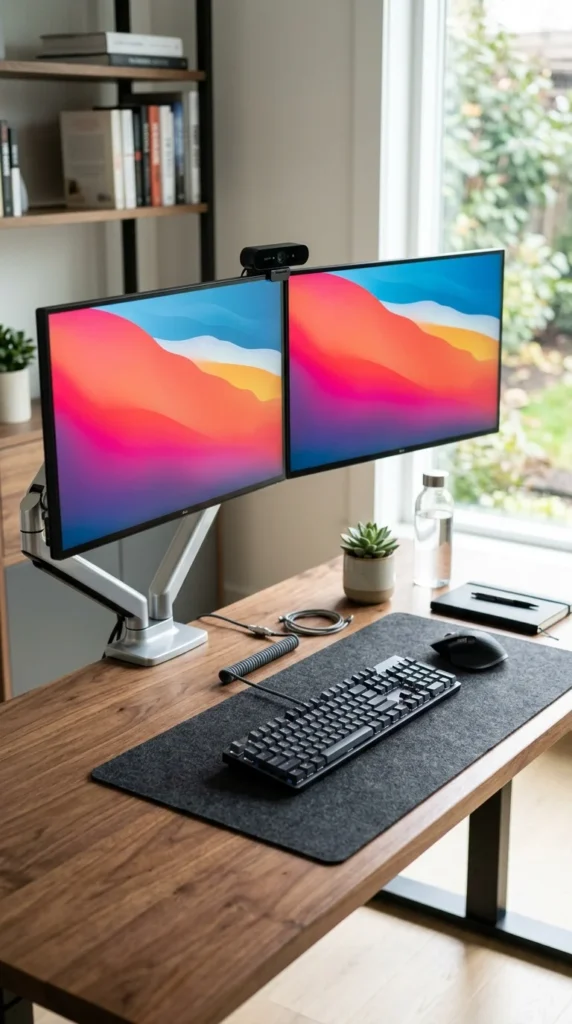
For data analysts, coders, and multi-taskers, screen real estate is the ultimate currency. The Dual-Monitor Powerhouse is designed for maximum efficiency, allowing you to have multiple windows open simultaneously without the constant need to alt-tab between programs.
Productivity Benefits:
- Seamless Workflow: Keep your primary task on one screen and your communication tools (Email, Slack, Zoom) on the other.
- Monitor Arms: Using mounts instead of factory stands frees up valuable desk space and allows for perfect eye-level alignment.
- High Resolution: Investing in 4K monitors reduces eye strain by providing sharper text and more vibrant visuals.
This setup is most effective when paired with a high-performance computer and a “logical” desk layout where everything is within easy reach of the primary seating position.
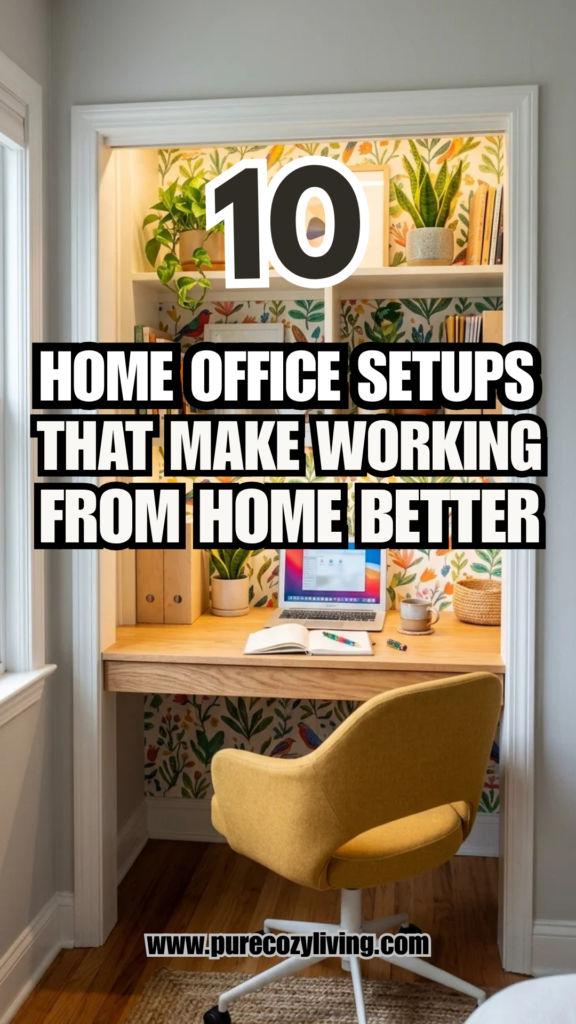
5. Closet Office (Cloffice)
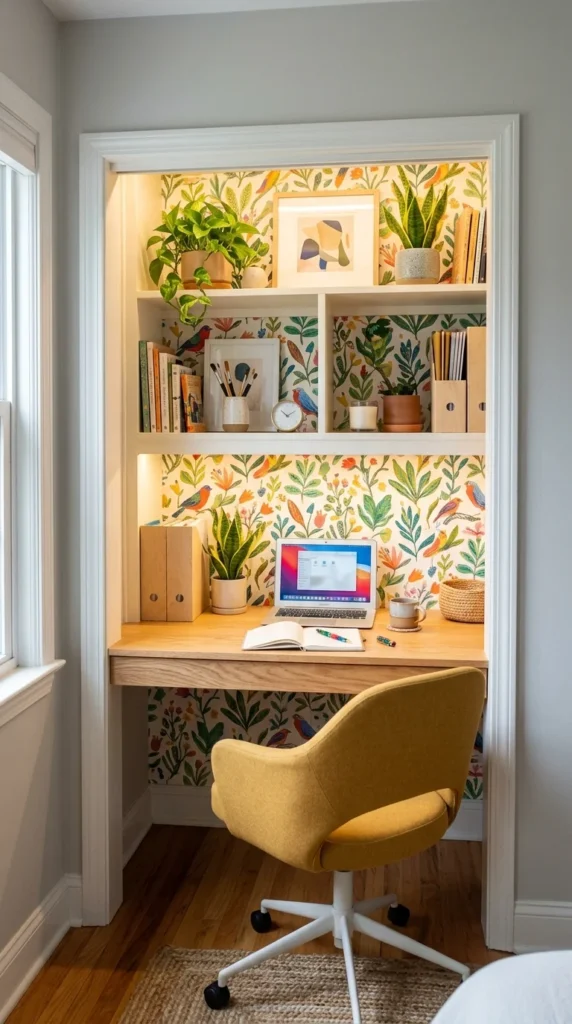
The “Cloffice” is the ultimate solution for those living in smaller apartments or homes without a dedicated spare room. By repurposing a closet, you can create a functional workspace that doesn’t intrude on your living area. It provides a “nook” feeling that can actually help with focus by creating a physical boundary from the rest of the home.
Space-Saving Tips:
- Vertical Storage: Use the upper space of the closet for shelving to store printers, files, and office supplies.
- Integrated Lighting: Since closets often lack windows, use high-quality LED strips or a slim desk lamp to ensure the space is well-lit.
- Folding Chairs: If space is extremely tight, an ergonomic folding chair can be tucked away when the workday ends.
The Cloffice is a testament to the fact that you don’t need a massive room to be productive; you just need a smart layout.
6. Creative Studio
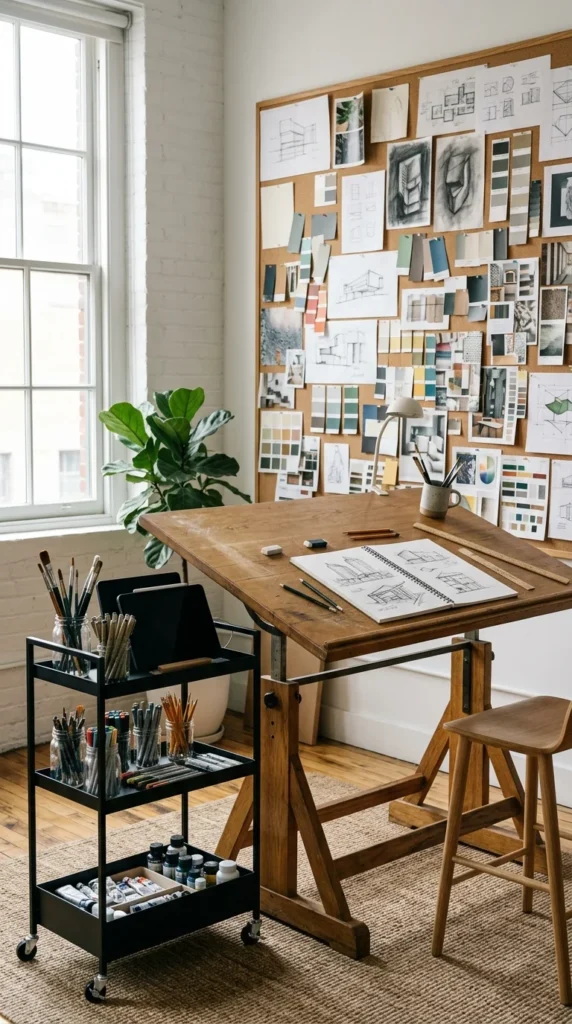
The Creative Studio is designed for artists, designers, and architects who need room to spread out. Unlike a traditional computer-centric desk, this setup prioritizes surface area and tactile inspiration. It is a space where digital and analog tools coexist.
Essential Features:
- Large Surface Area: A wide desk or drafting table allows for the use of oversized monitors alongside physical sketchbooks or fabric samples.
- Mood Boards: A physical space (corkboard or magnetic wall) to pin inspirations helps keep the creative spark alive.
- Zoned Lighting: Use a mix of overhead lights and adjustable task lamps to ensure color accuracy and reduce shadows during manual work.
This setup thrives on “organized chaos,” where tools are visible and accessible, encouraging a fluid creative process.
7. High-Tech Command Center
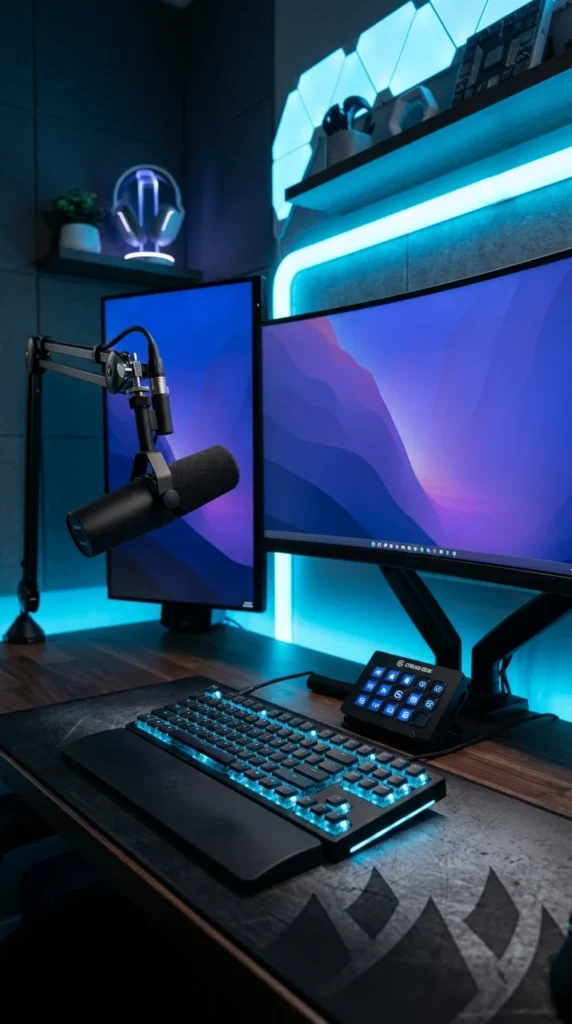
The High-Tech Command Center is for the power user—streamers, developers, and tech enthusiasts. This setup focuses on cutting-edge peripherals, smart home integration, and aesthetic flair. It is a highly personalized space that often doubles as a high-end gaming station.
Technical Elements:
- Smart Lighting: Integrated LED strips (like Philips Hue) that change color based on the time of day or the content on your screen.
- Audio Quality: A dedicated XLR microphone and studio monitor speakers for crystal-clear communication.
- Macro Pads: Tools like the Stream Deck allow for one-touch execution of complex workflows, such as launching apps or muting microphones.
This setup is as much about performance as it is about personality, offering a high-energy environment for those who live and breathe technology.
8. Ergonomic Haven
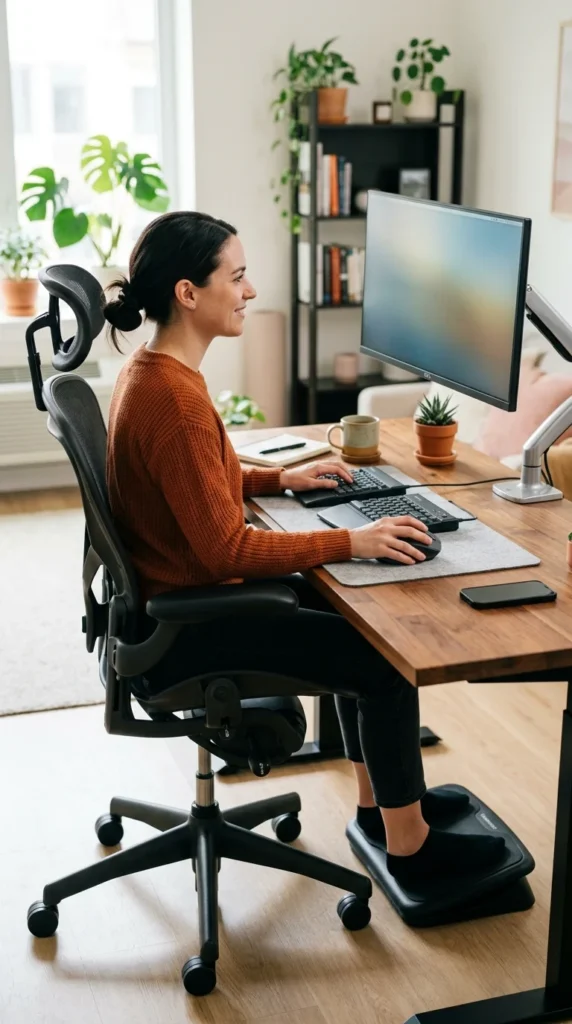
If you suffer from wrist pain, neck tension, or “tech neck,” the Ergonomic Haven is your best option. Every element in this setup is chosen specifically to support the body’s natural posture. It prioritizes long-term physical health over trendy aesthetics.
Health-First Components:
- High-End Chair: Look for adjustable lumbar support, armrests, and seat depth (e.g., Herman Miller or Steelcase).
- Split Keyboard & Vertical Mouse: These tools keep your wrists in a neutral position, reducing the risk of Carpal Tunnel Syndrome.
- Monitor Risers: Ensuring the top third of your screen is at eye level prevents you from hunching forward.
While this setup can have a higher upfront cost, the reduction in physical therapy bills and increased daily comfort make it a wise choice for full-time remote workers.
9. Shared Workspace
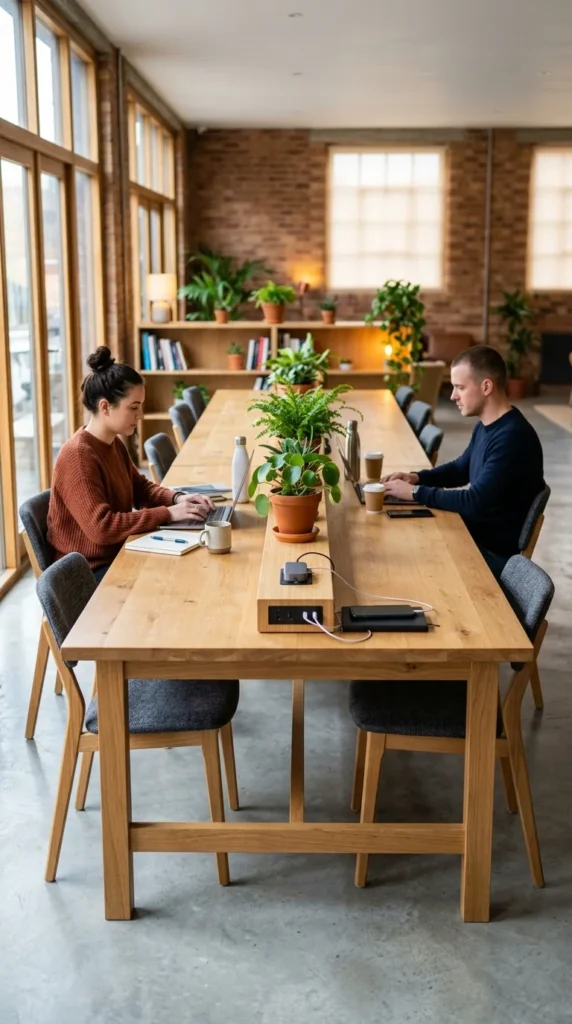
With more couples working from home, the Shared Workspace has become a necessity. The challenge here is balancing collaboration with privacy. A well-designed shared office allows for two people to work efficiently without distracting one another.
Collaborative Layouts:
- Back-to-Back or Side-by-Side: Side-by-side works well for narrow rooms, while back-to-back offers more visual privacy.
- Acoustic Management: Use noise-canceling headphones or acoustic panels to dampen the sound of a partner’s voice during calls.
- Neutral Territory: Keep shared resources (like the printer or coffee station) in a central, easily accessible spot.
Sharing a space requires a commitment to organization and “quiet hours,” but it can also provide a sense of camaraderie that is often missing in solo remote work.
10. Sunlit Library
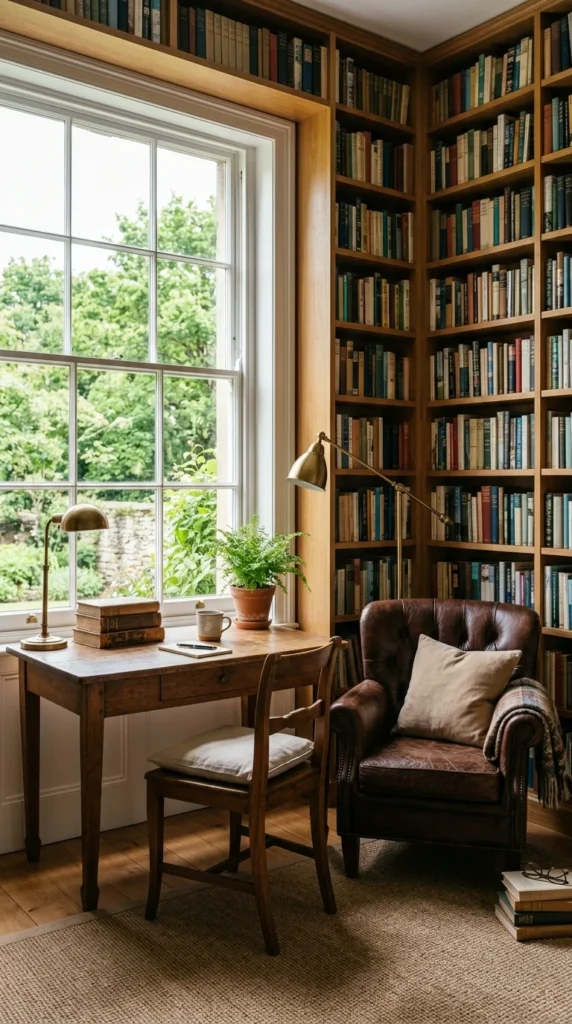
The Sunlit Library setup is for the academic, the writer, or the researcher. It combines the functionality of a workspace with the comfort of a traditional study. This environment is designed for deep work—the kind of focused, uninterrupted thinking that requires a quiet, sophisticated atmosphere.
Atmosphere and Utility:
- Rich Textures: Use leather, dark woods, and brass accents to create a timeless, scholarly feel.
- Reading Nook: Including a secondary seating area allows you to switch locations when transitioning from “output” (typing) to “input” (reading/research).
- Symmetry: Balanced bookshelves and centered desks create a sense of order and tradition that can be very grounding.
The Sunlit Library reminds us that work isn’t just about digital output; it’s also about thought, reflection, and the pursuit of knowledge.